
Home/Preschools/Supervision alerts
Supervision gaps are caught before a child comes to harm.
When a room has no adult, or a child heads for an open exit, the educator on duty is told at once. Havenwatch AI brings video analytics for preschool safety to the cameras the centre has.
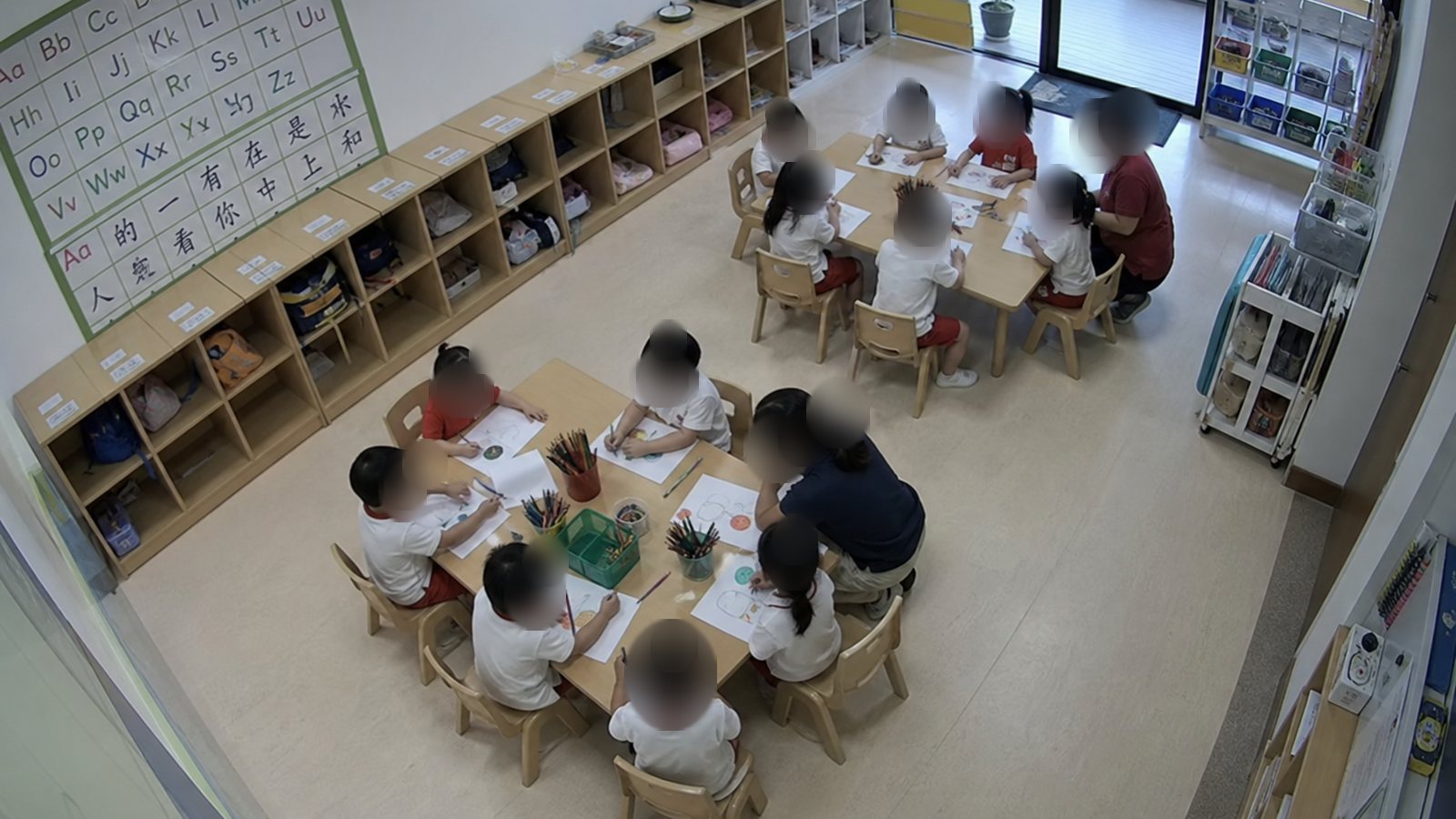
A child at the K1 side exit during free play
The educator on duty gets the room and a still. If nobody responds, the principal is told.
 EducatorEducator
- 10:05Educator in the room alerted
- 10:05Acknowledged on the tablet
- 10:06Door shut, child back at the table
What the child safety AI camera checks
Each check is set per room and per time of day. The same count of adults and children drives staff-child ratio checks.
No adult in view
Classrooms, play areas and the garden, with an alert to the educator on duty.
Room below ratio
Children and adults counted in each room against the ratio the centre sets, flagged for the principal to check.
Child near a gate or exit
The centre marks areas children should stay out of, and an alert goes out when a child enters one.
Falls and climbing
A fall from a chair, a slide or the climbing frame, sent to the educator on duty with the clip.
Moments for a closer look
Fast or forceful movement between an adult and a child, flagged for a person to review.
After hours
Anyone in the centre after closing, plus smoke and blocked exits.
Flagged moments are reviewed by a person
A fast movement at the snack table is usually an educator catching a child, so a person decides what each flagged moment means.
Flagged
Havenwatch marks a moment of fast or forceful movement between an adult and a child.
Sent to one reviewer
Only the reviewer the centre chooses, usually the principal, sees it.
Watched by a person
The reviewer watches the clip with what happened before and after, and adds a note.
Closed with a record
Marked no concern or follow-up, and the record protects the child and the educator.
One gap, from alert to closed
Every alert has an owner, and the case closes when the camera shows the child safe again.
Related: Authorised pick-up, Daily centre log.
- 10:05
A child at an open side exit
During free play in Classroom K1, a child walks to the side door, which is open.
- 10:05
The educator in the room is alerted
On the centre tablet or phone, with a still, and the principal if nobody responds.
- 10:06
Door shut in 45 seconds
Havenwatch sees the door shut and the child back at the table, and closes the case on camera.
- 18:30
A line in the daily log
The log reads: Classroom K1 side exit: door shut, child back in 45 s. Logs record roles and rooms and leave names out.
Questions about supervision alerts
How does it know a room has no adult?
Havenwatch tells educators from children on every room camera. When a room has no adult in view for longer than the centre sets, the educator on duty is alerted.
What happens when a moment is flagged as possible rough handling?
It goes only to the reviewer the centre chooses, usually the principal, with the clip. That person marks it as no concern or as needing follow-up. Nothing is treated as fact before that.
Will our educators feel watched?
Havenwatch looks for supervision gaps in the room. Teaching quality stays with the principal. Most alerts have an ordinary explanation, and the review record gives educators a clear account.
Does it work if the internet goes down?
Detection and the on-site dashboard keep working when the internet drops. Phone alerts are sent as soon as the link returns.
See supervision alerts on your own rooms for four weeks.
The pilot counts supervision gaps per day and the minutes until each alert closed.